tpcx.com access
Creation date: 7/12/2022 7:43 AM
Updated: 7/12/2022 7:43 AM
If you you can't access tpcx.com website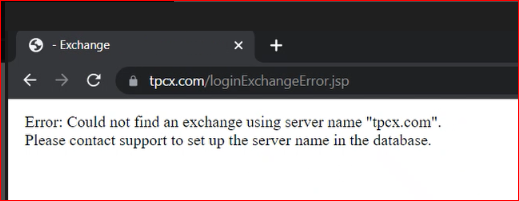

Please follow below steps to use Edge in IE mode.
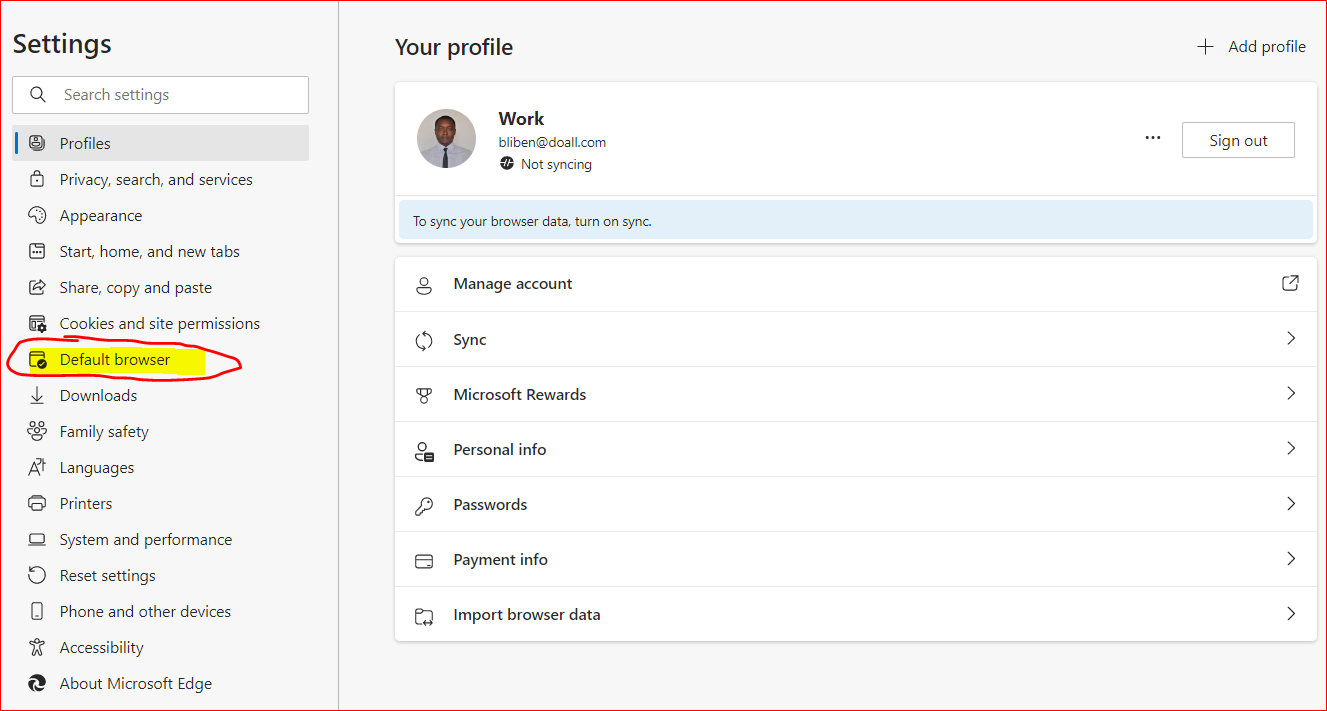
- Open Microsoft Edge. Click on the three dots (…) and select Settings
- Click on Default Browser
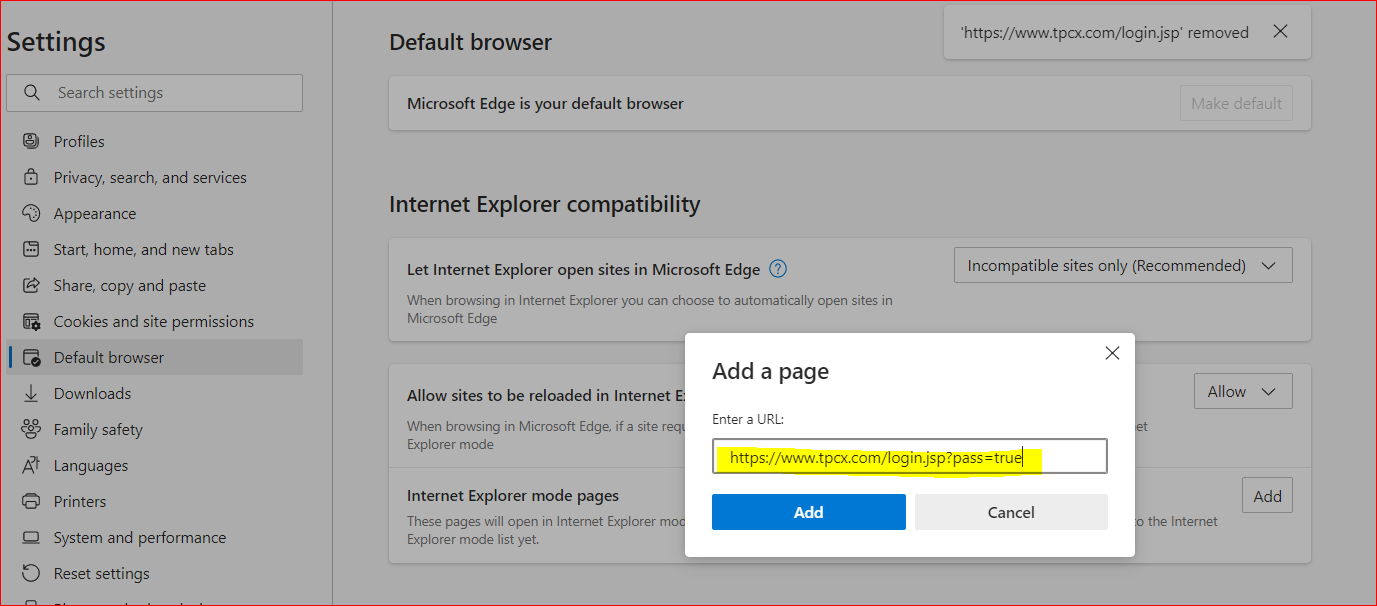
- Select “Incompatible sites only (Recommended)”, “Allow” from the dropdown options.
And Click on “Add”. One pop screen will open.
- Enter https://www.tpcx.com/login.jsp?pass=true in URL box and Press Enter.
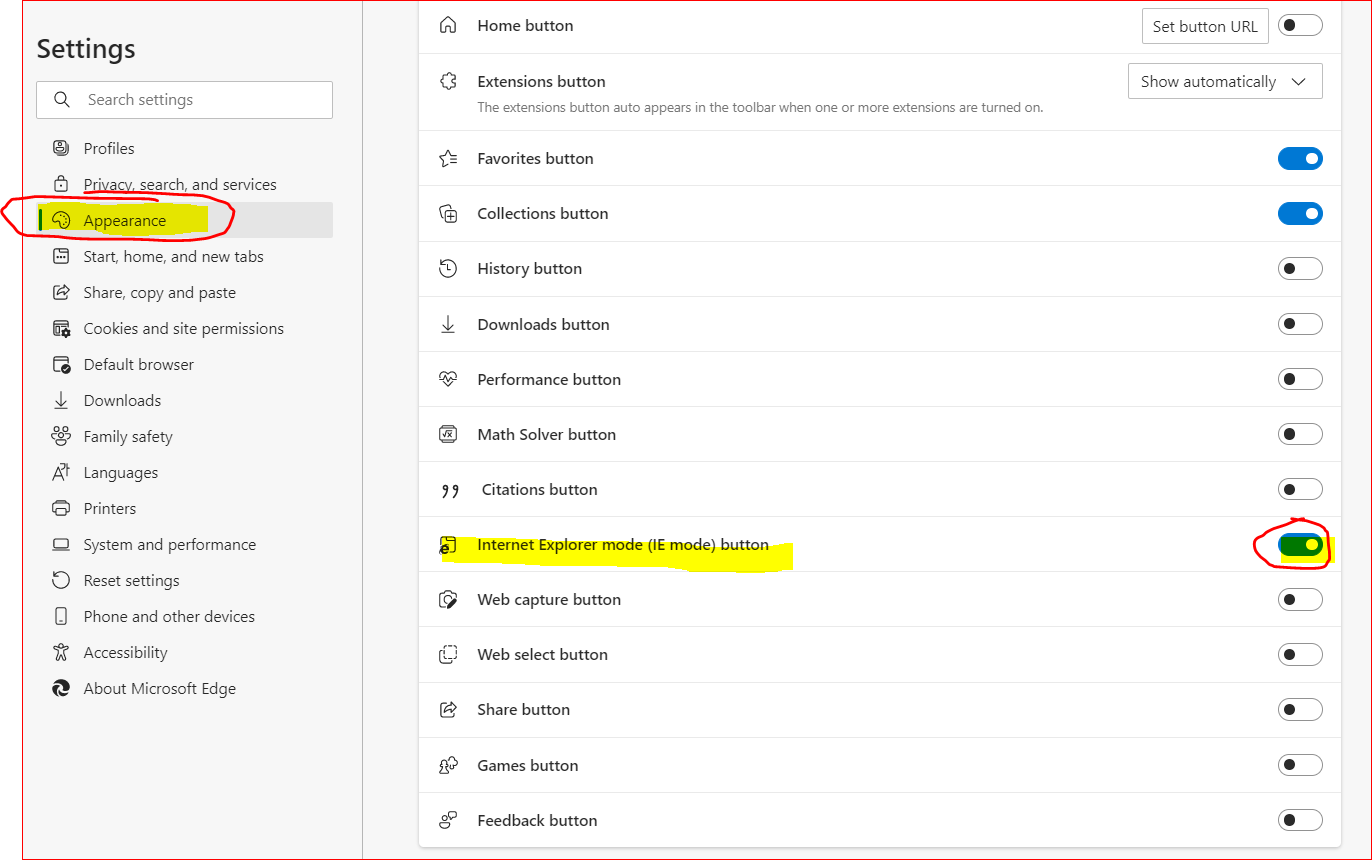
- Restart the browser and go to “Appearance” scroll down and make sure “Internet Explorer mode button” is enabled.
- Restart the Browser and Open https://www.tpcx.com/login.jsp?pass=true
DataImage32.png
DataImage32.png
DataImage32.png
DataImage48.png
DataImage48.png
DataImage13.png